Unit Converter Max: Units and Currency in One App
Convert 30+ unit categories and 150+ currencies with Unit Converter Max. See how offline conversion makes travel, work, and study easier.
 Unit Converter Max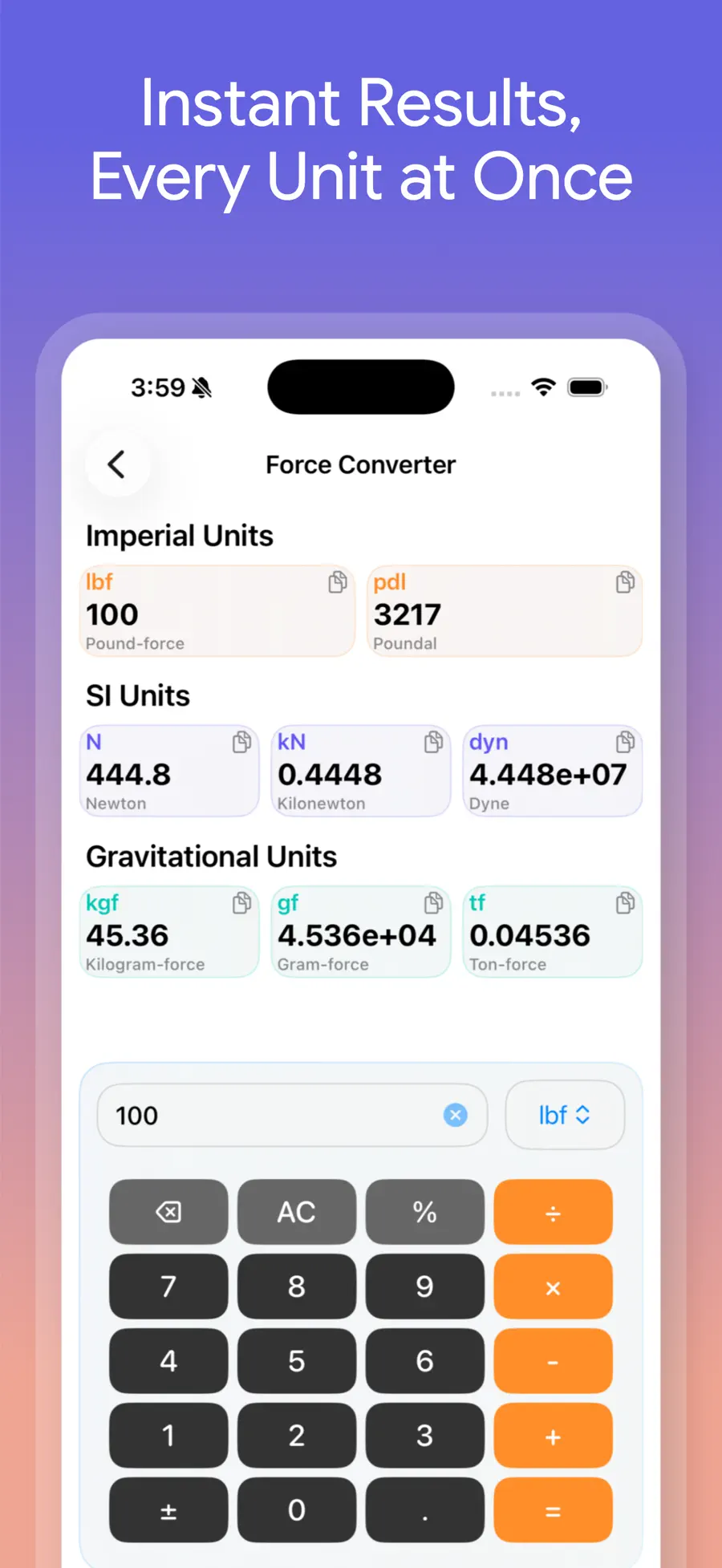
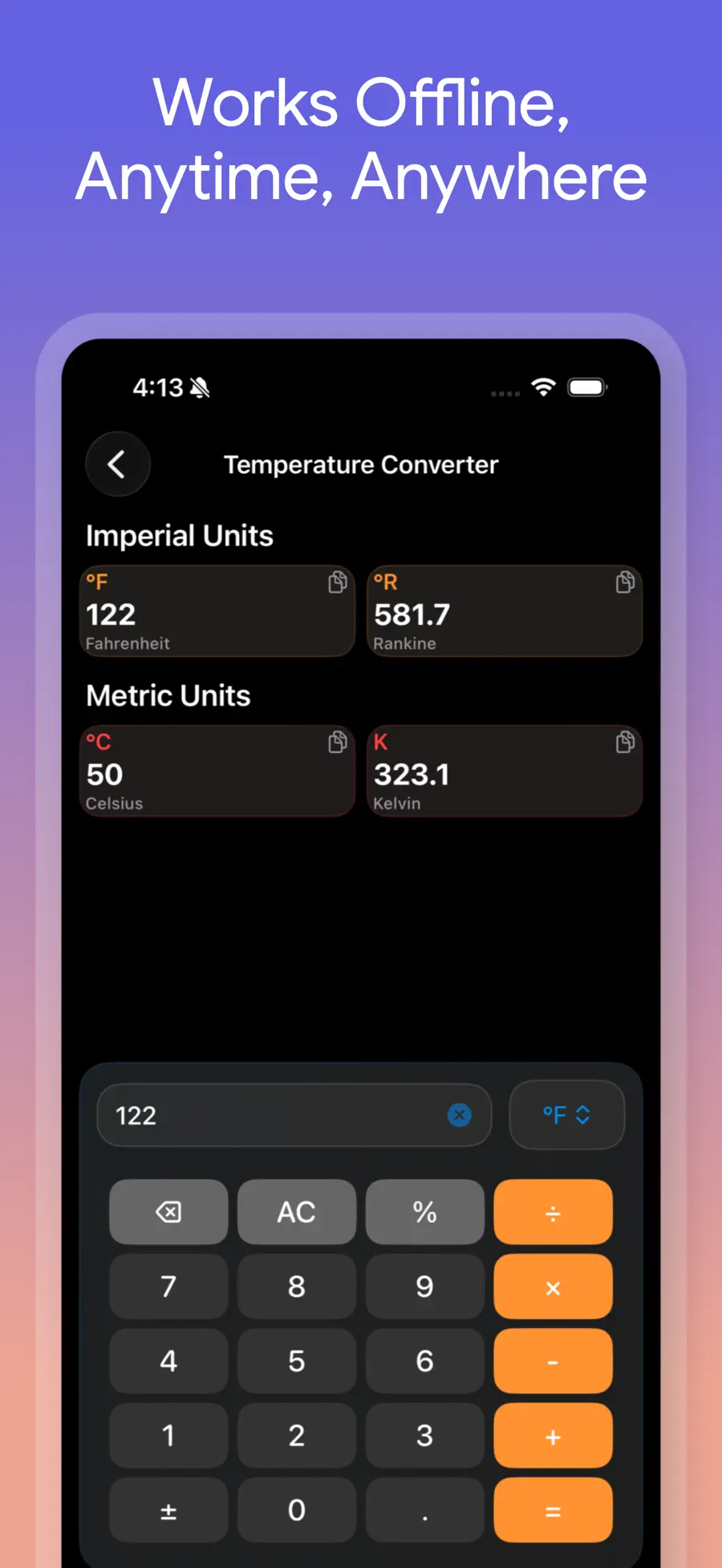
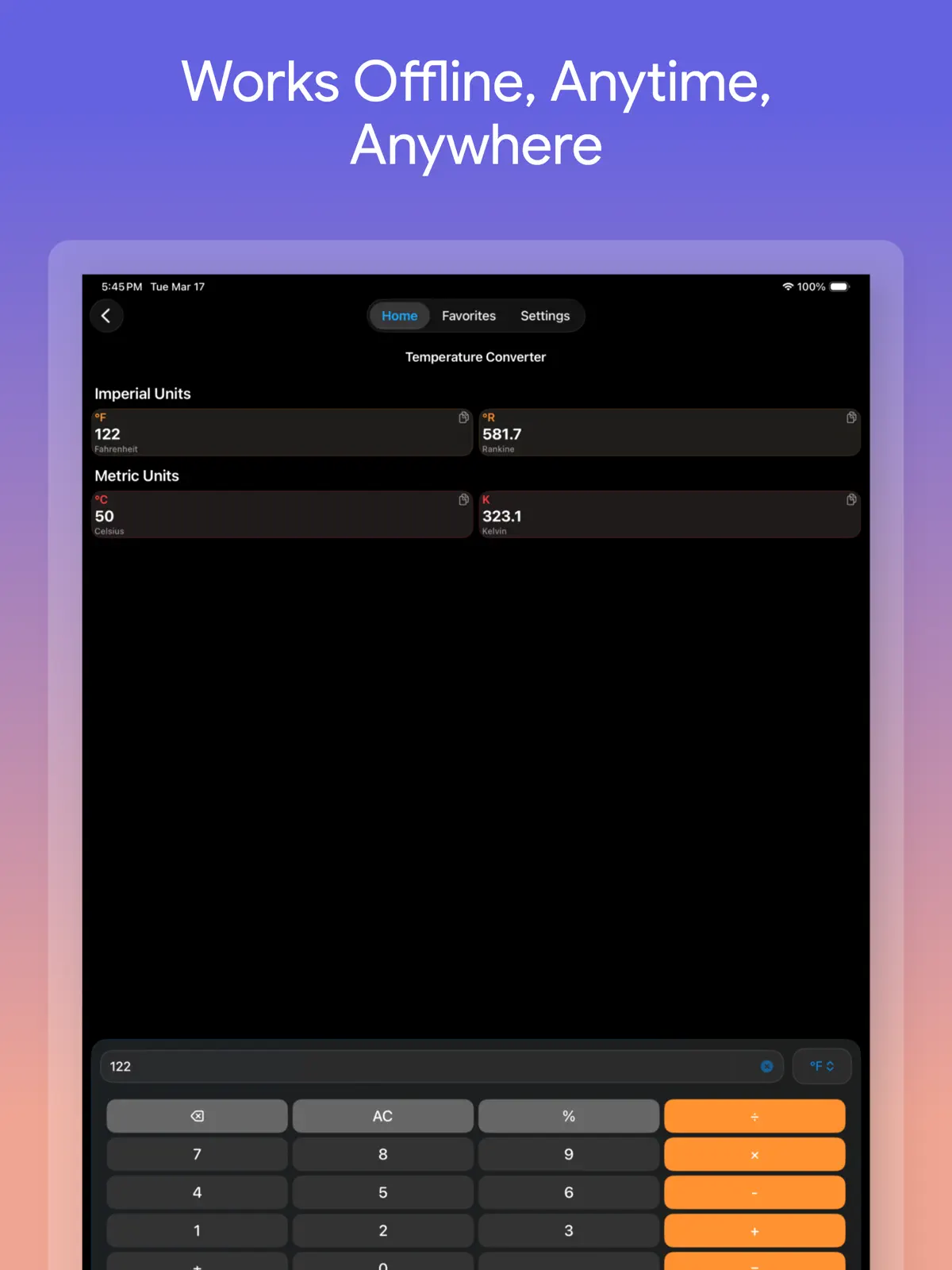
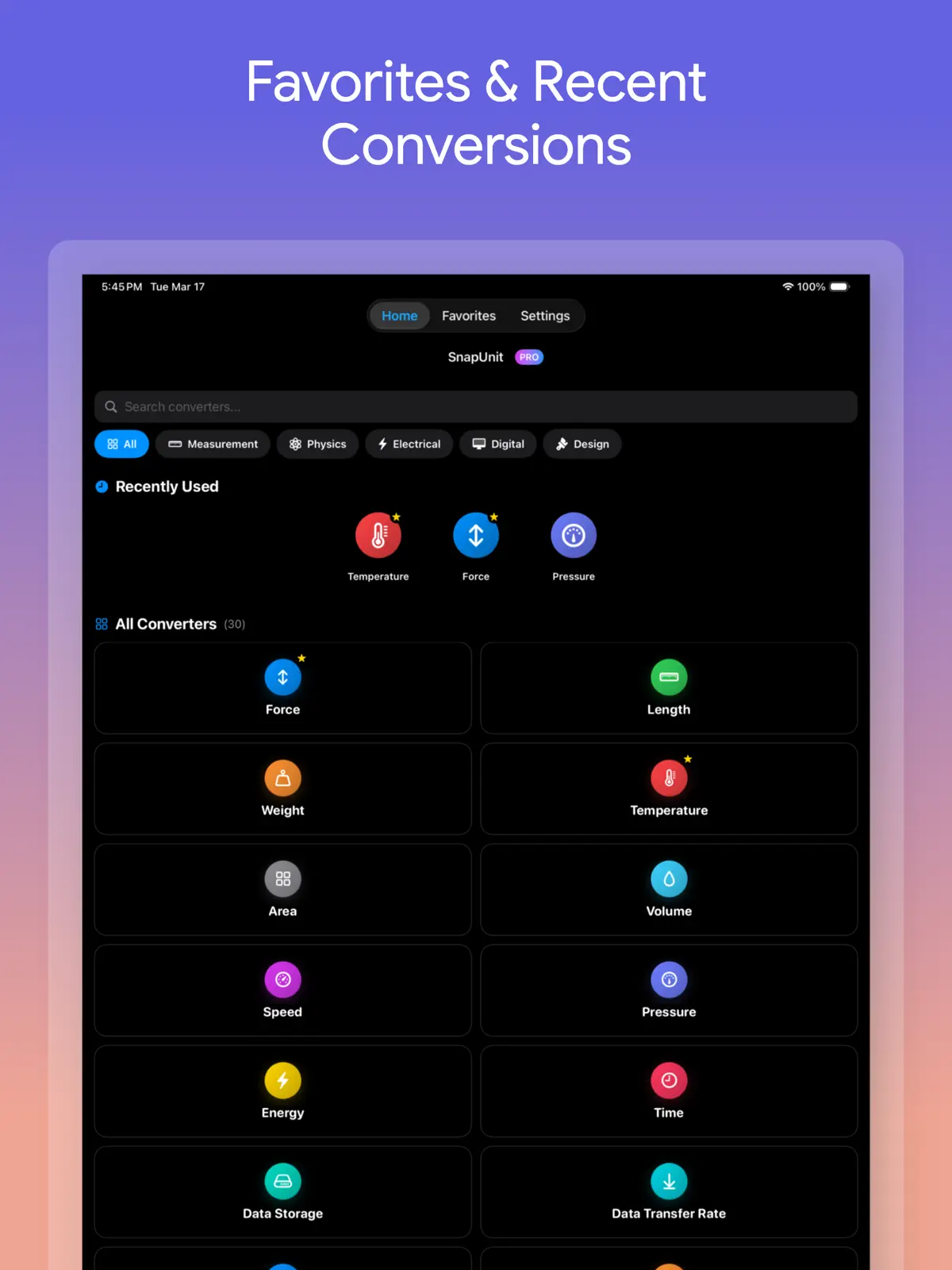
How many centimeters are in 12 inches? Is a 50-pound suitcase under your airline’s kilogram limit? What does 350°F mean on a Celsius oven? A simple question can turn into several searches when you need to find a formula, open a calculator, and repeat the process for every result.
Unit Converter Max is an iPhone and iPad unit converter with more than 30 categories and over 150 world currencies. Enter a number once to see several related results immediately. Fixed unit conversions also work offline, making the app useful while traveling as well as at home. There are no ads or subscriptions; premium access is available as a single purchase.
Download Unit Converter Max free from the App Store and convert the number you need right now.
One unit converter for travel, cooking, and work
A useful measurement converter should do more than collect long lists of unit names. It should help you reach the right answer quickly in the situation you are already in.
| When you need it | Choose | Example |
|---|---|---|
| Travel and online shopping | Currency, length, mass, temperature | USD to EUR, inches to cm, lb to kg, °F to °C |
| Cooking and home projects | Volume, mass, temperature, area | cups to mL, oz to g, oven temperature, ft² to m² |
| Study and office work | Speed, pressure, energy, time, data | mph to km/h, psi to bar, joules, GB to MB |
| Science and engineering | Force, density, power, frequency, voltage, current, resistance, torque | lbf to N, W to kW, Hz to kHz, lb·ft to N·m |
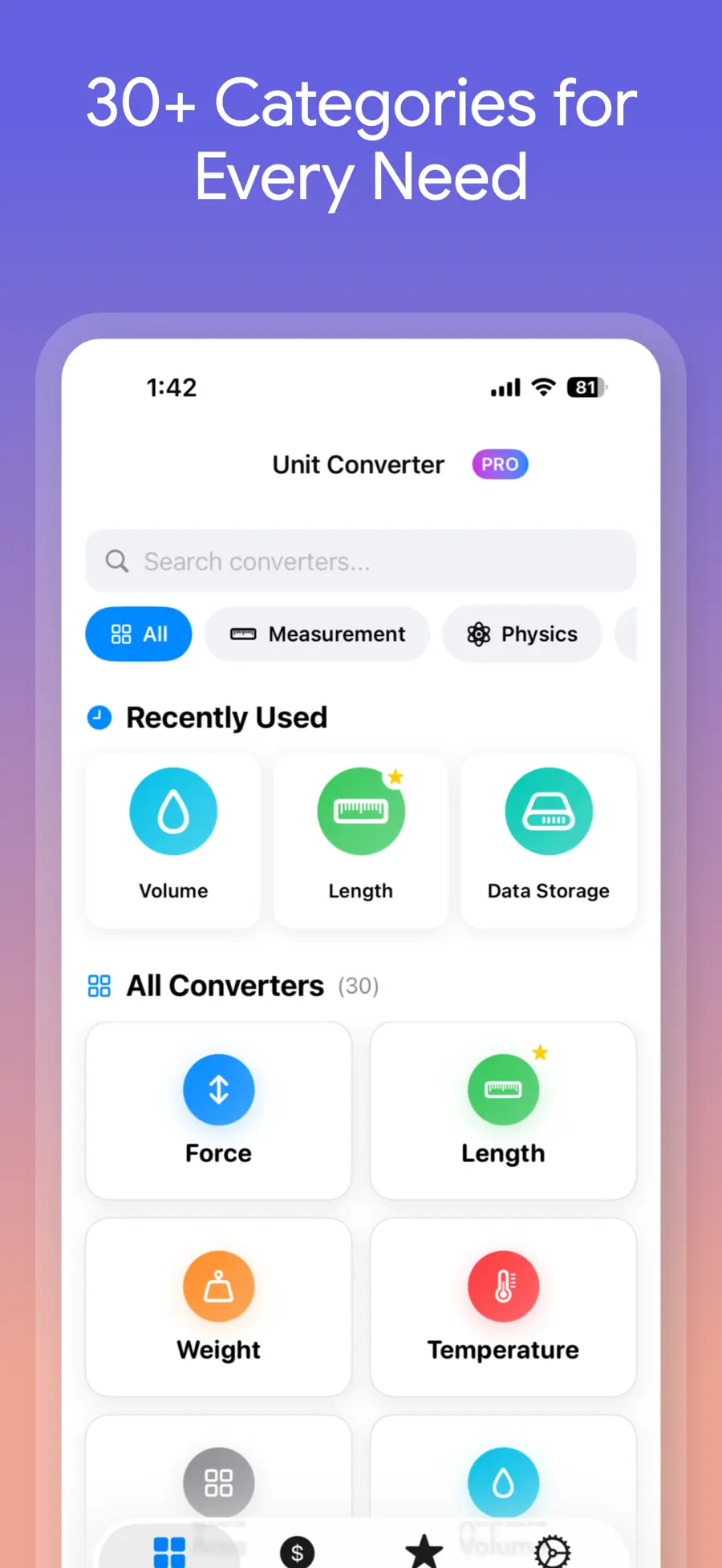
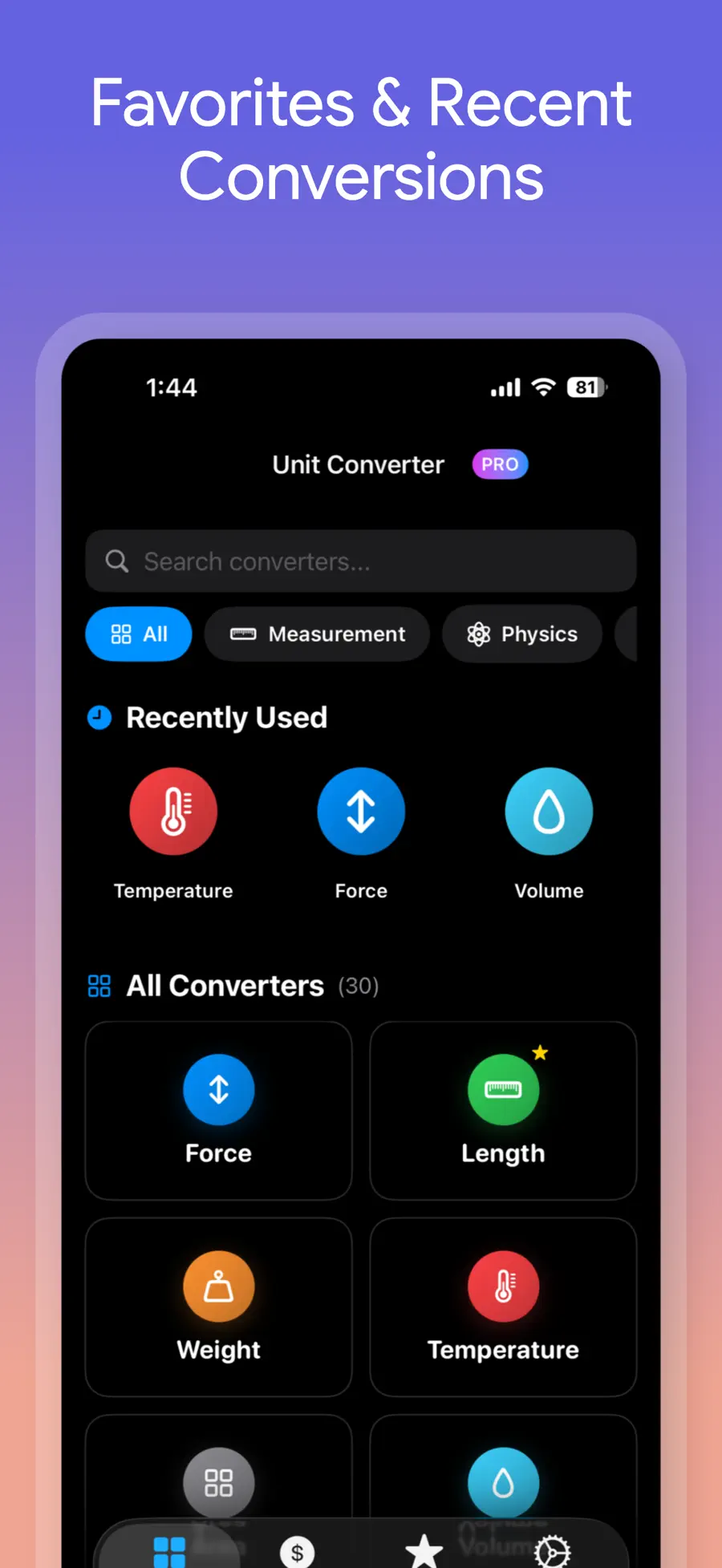
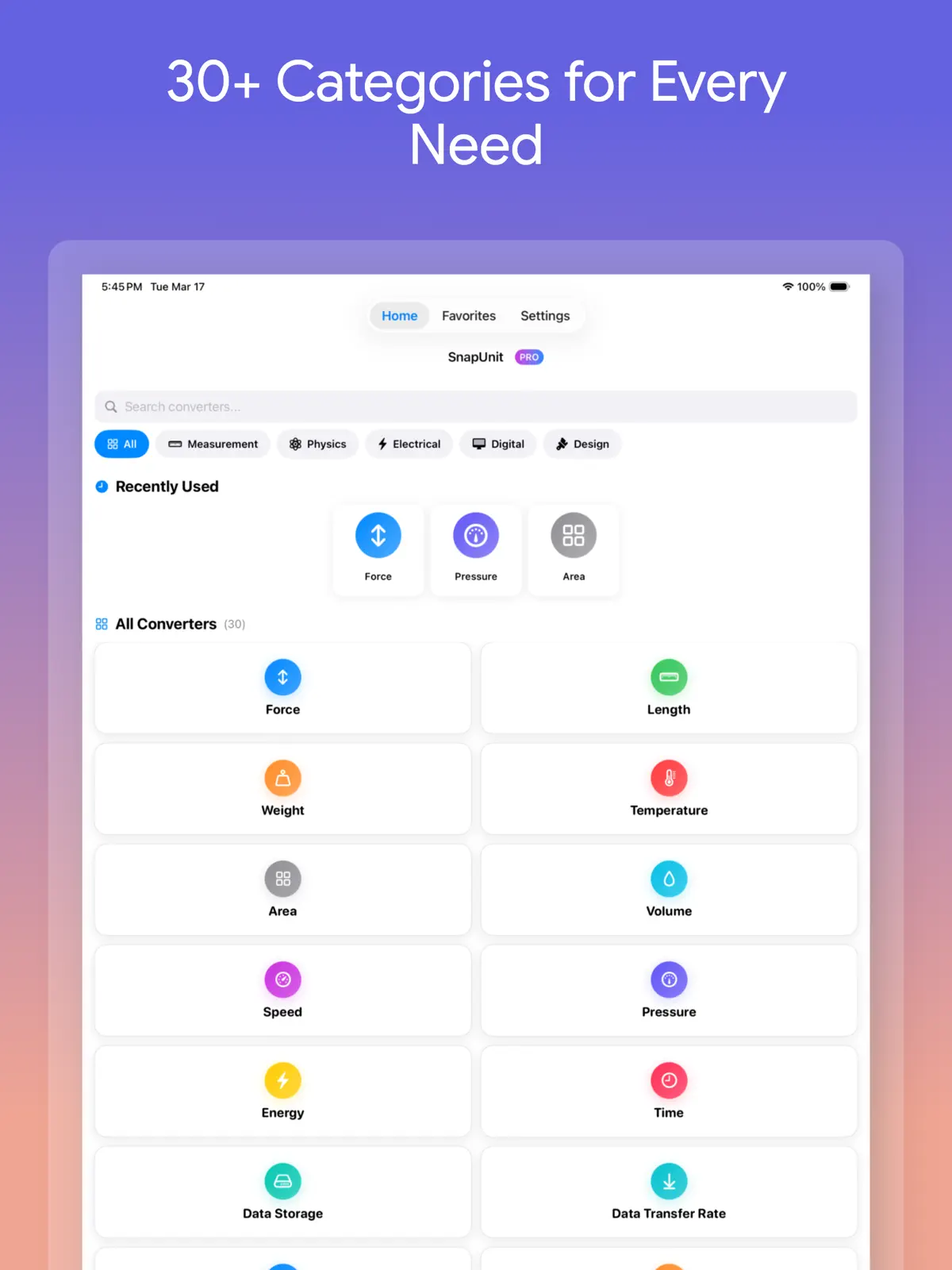
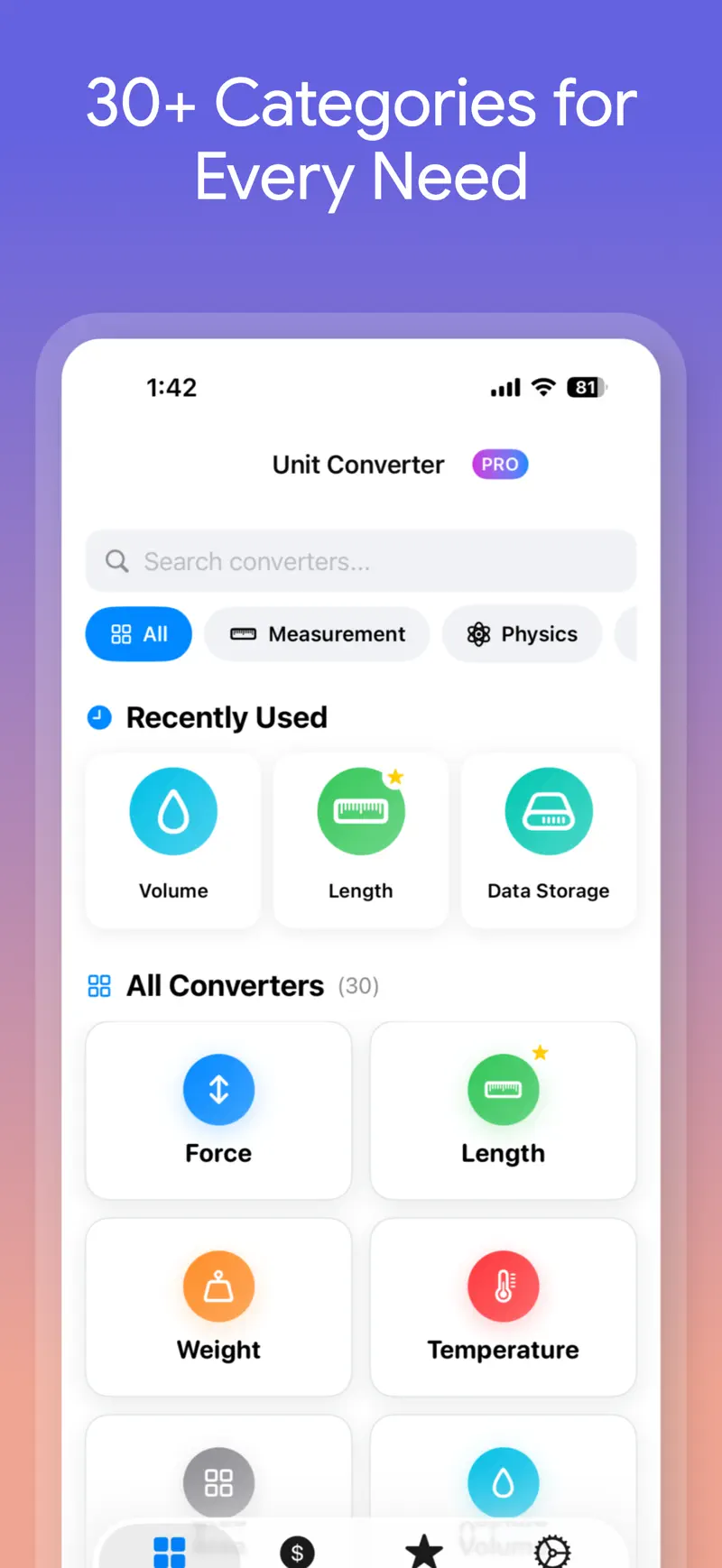
You can search for a converter or narrow the list by groups such as measurement, physics, and electricity. Recently used converters stay close at hand, so common tools such as temperature, length, and weight do not need to be found again each time.
Enter one number and see every useful result
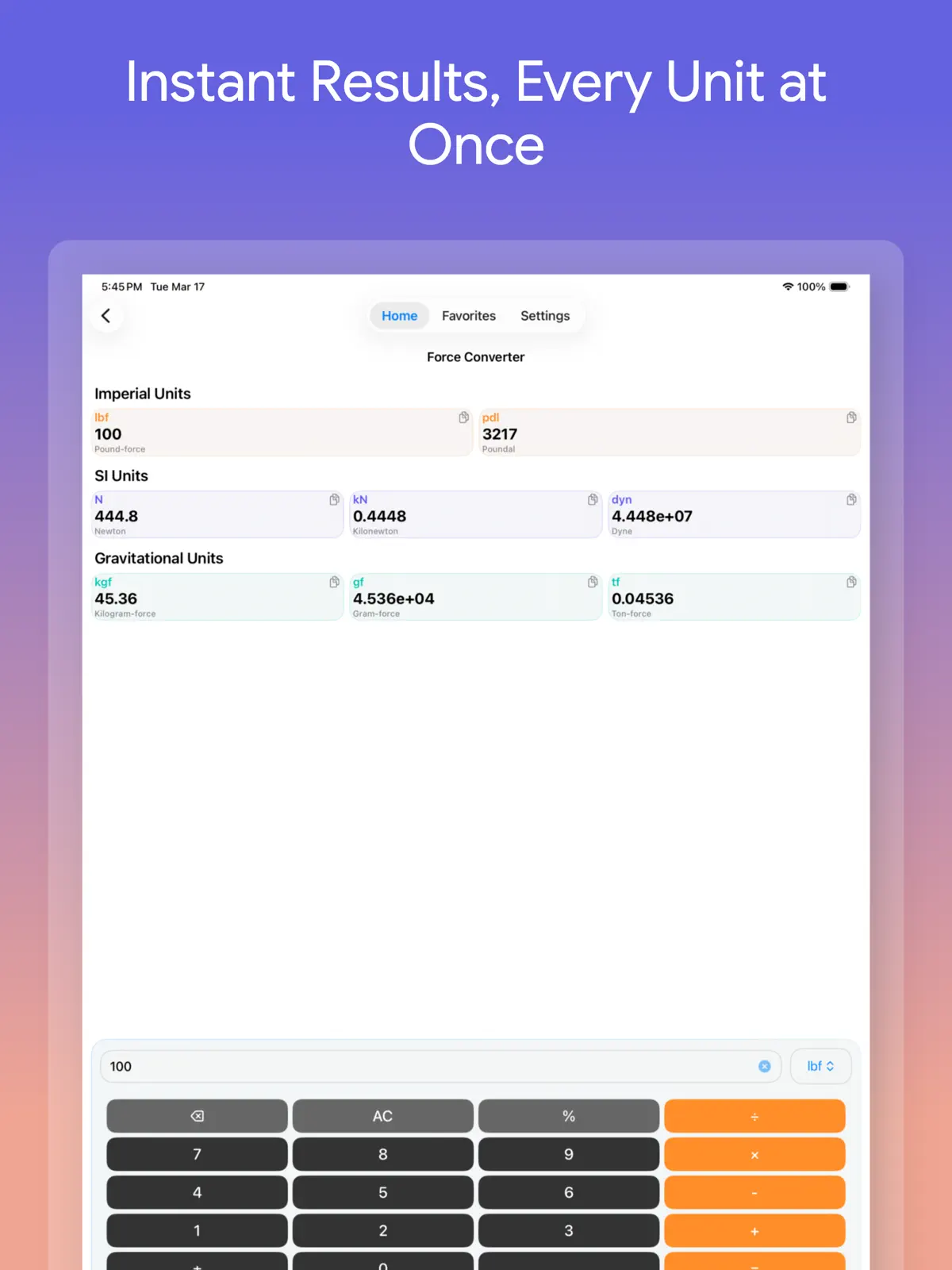
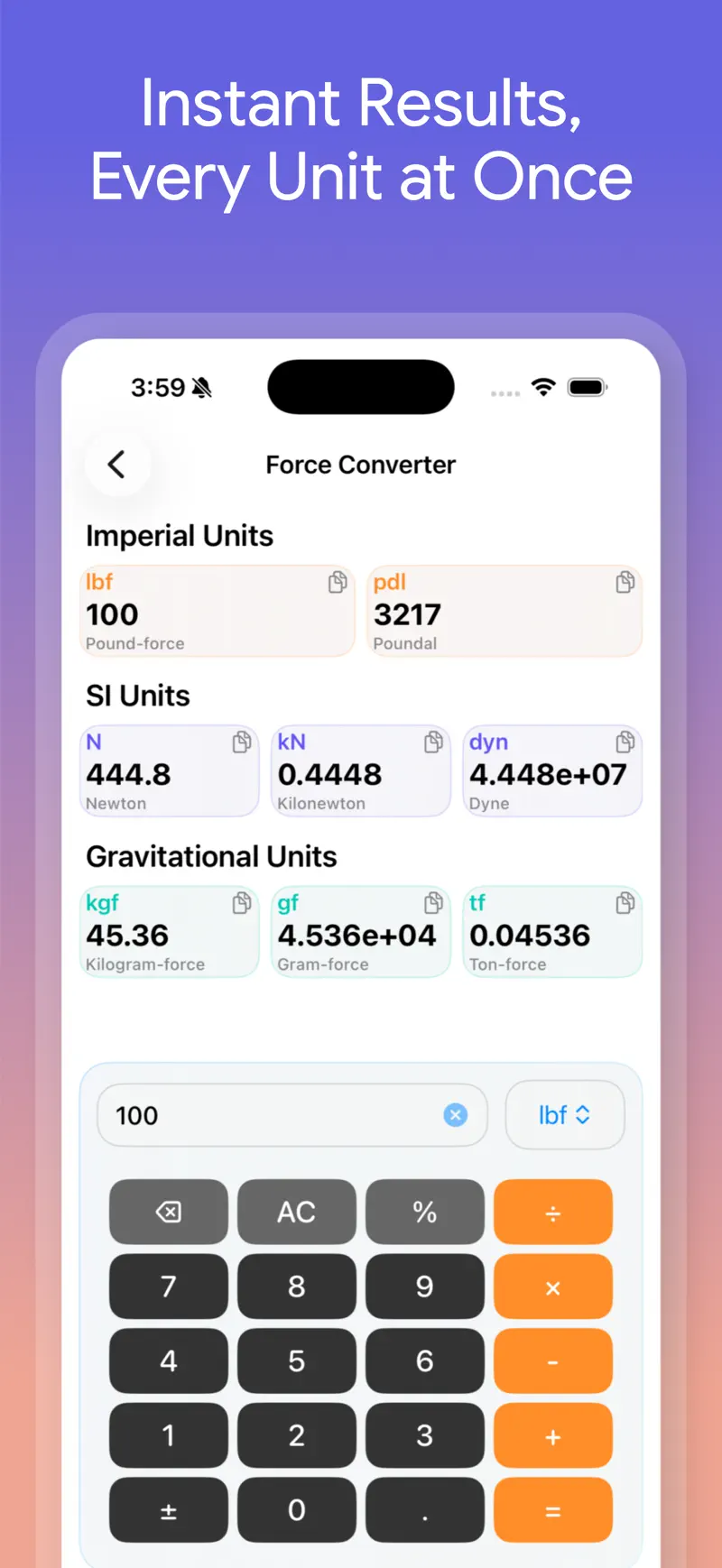
A standard calculator makes you find a conversion factor, perform the calculation, and start again when you need a different unit. Unit Converter Max shows multiple results from the same category on one screen.
Enter 100 lbf in the force converter, for example, to compare poundal, newton, kilonewton, dyne, kilogram-force, and other related values. A copy button beside each result makes it easy to move the number into a note, message, or document.
The built-in keypad includes arithmetic and percentages. You can finish an intermediate calculation such as 12 × 4 and convert the result without switching to another app. That shorter path matters when you are comparing dimensions, adjusting a recipe, or checking several specifications in a row.
Compare more than 150 currencies
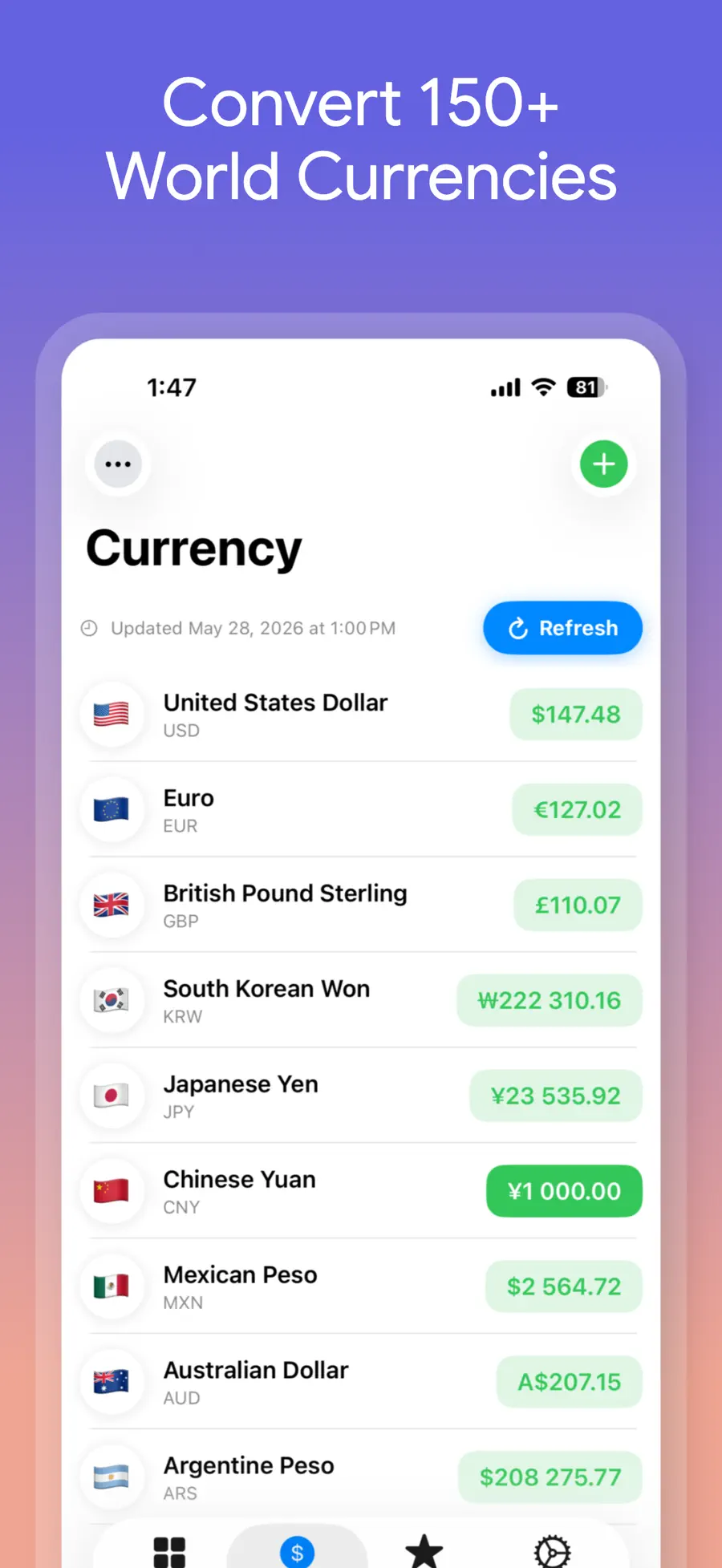
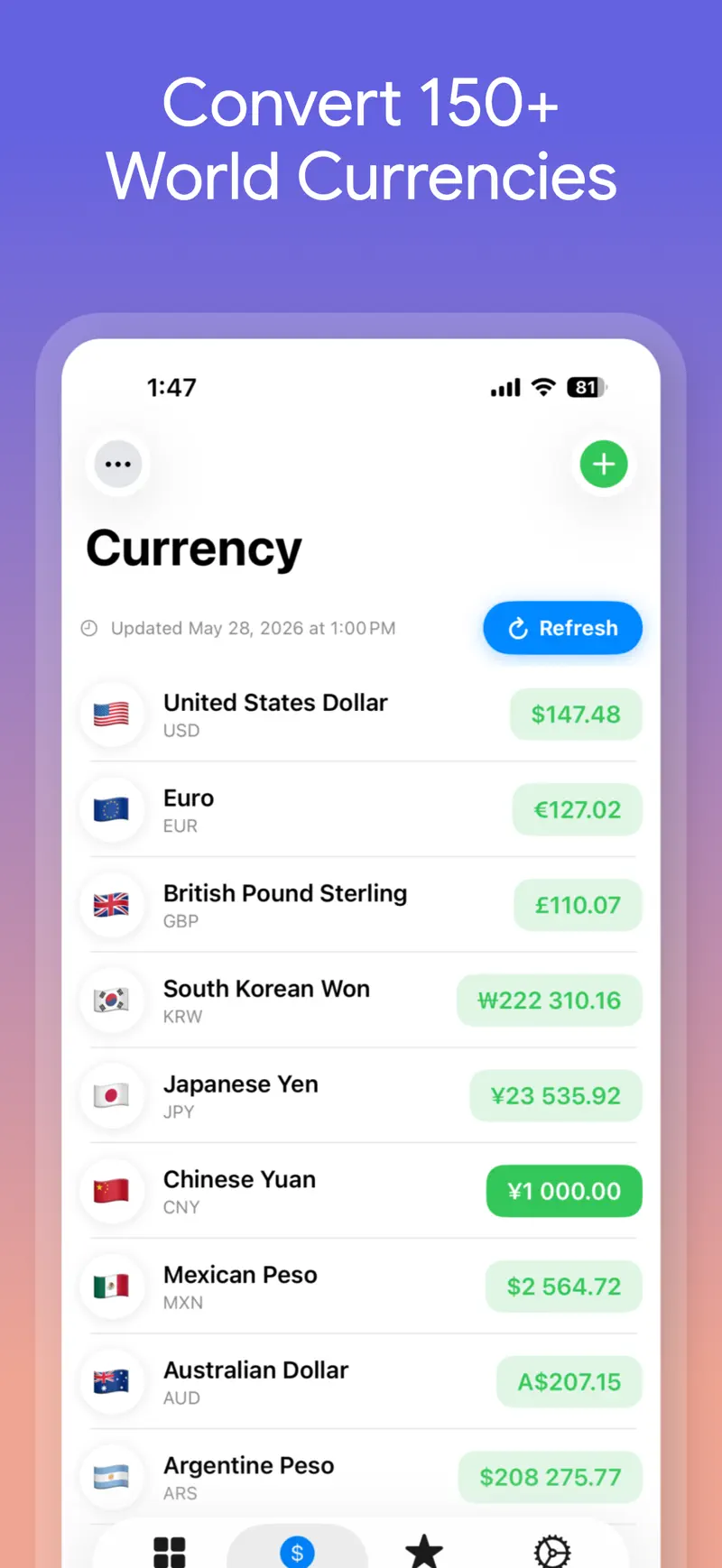
Travel budgets and international prices often involve more than one currency pair. The currency converter in Unit Converter Max supports over 150 currencies and can show several selected conversions in one list.
Set US dollars as the base, then add euros, pounds, yen, or any currencies relevant to your trip. The screen shows when rates were last updated and provides a refresh control, helping you see whether the reference rate is current before making a decision.
Treat the result as an estimate. The final amount on a card statement or at an exchange counter can differ because of timing, the rate used by your bank or card issuer, and foreign transaction fees.
How to make your first conversion
You can get a useful result in four steps:
- Install Unit Converter Max from the App Store and open it.
- Search for a category such as Length, Temperature, or Mass.
- Choose the starting unit and enter the number.
- Review the results together, then copy the value you need.
Add converters you use often to Favorites. For currencies, open the currency tab, choose a base amount, add the currencies you want to compare, and refresh the rates before a trip or purchase.
Offline units, no ads, and no subscription
Length, mass, temperature, and other fixed unit relationships can be calculated without an internet connection. That is useful on a plane, in a basement workshop, or while roaming is disabled abroad. Currency rates change over time, so refreshing them requires a connection.
The app works without creating an account. It is free to download, contains no ads, and offers premium features through a one-time purchase rather than a recurring subscription. Apple processes the purchase; the Unit Converter Max privacy policy explains the app’s data handling in more detail.
Who will find it useful?
- Travelers checking prices, weather, distance, and baggage weight
- Online shoppers converting inches, centimeters, pounds, kilograms, and currencies
- Home cooks translating volume, mass, and oven temperature
- Students and professionals working with pressure, energy, force, or electrical units
- Anyone who wants a clean converter without ads or a monthly subscription
- People who prefer to compare multiple answers and copy the right result immediately
If you need to transfer money, reserve foreign currency, or compare card-specific fees, use a financial institution’s dedicated service as well. The strength of Unit Converter Max is fast, readable unit conversion and reference currency calculations.
Frequently asked questions
Which measurements can it convert?
The app supports more than 30 categories, including length, mass, temperature, area, volume, speed, pressure, energy, time, data, power, frequency, voltage, fuel economy, torque, angle, force, density, current, and resistance.
Does unit conversion work offline?
Yes. Fixed measurements such as length, weight, and temperature work offline. You need an internet connection when you want to refresh changing currency rates.
Will the currency result match my card charge?
Use it as a reference amount. Your final charge may include a different exchange rate or fees from your card issuer, bank, or payment provider.
Is the app free?
You can download it free and get started. Premium features use a one-time purchase, not a subscription, and the app has no ads.
Can I use it on iPad?
Yes. Unit Converter Max supports iPhone and iPad. Check the full app details for current compatibility and screenshots.
Convert one number now
Unit conversion should end with an answer, not another search. Keeping more than 30 measurement categories and over 150 currencies in one app removes repeated formulas and calculator switching from travel, cooking, shopping, study, and work.
Download Unit Converter Max free from the App Store, enter one number, and save the converters you use most. You can also review the complete feature list and official screenshots before installing.
Get Unit Converter Max
Convert 30+ unit categories and 150+ currencies with Unit Converter Max. See how offline conversion makes travel, work, and study easier.
4.8 · 65

 QR Reader & Creator