Best Countdown Widget for Mac: Top 3 Apps Compared (2026)
Looking for the best countdown widget for Mac? We compared the top 3 apps using Mac ratings, desktop widgets, iCloud sync, backup, and cost.
 Countdown Pro - Widget & Timer
Table of contents+
- The rating most roundups get wrong
- How we compared these Mac countdown apps
- At a glance
- 1. Countdown Pro - Widget & Timer — the most complete desktop setup
- 2. Countdowns - Event Countdown — the most popular free option
- 3. Bears Countdown — the best-looking desktop
- Two more worth knowing
- How to put a countdown widget on your Mac desktop
- Frequently asked questions
- Pick one date and try it this week
Disclosure: this guide was written by Rich Soft, the developer of Countdown Pro - Widget & Timer, which is the first entry below. It compares only what each developer publishes on the US App Store, checked on August 13, 2026. Features and pricing may change.
The rating most roundups get wrong
Search for a Mac countdown app and you will see star ratings like "4.7 from 9,234 reviews." That number is almost always the iPhone rating.
The App Store keeps a separate rating for the Mac version of the same app, and the gap can be large. Here is what the Mac listings actually showed on August 13, 2026:
| App | Mac rating | Mac ratings count |
|---|---|---|
| Color Widgets | 4.4 | 24,291 |
| Countdowns - Event Countdown | 4.7 | 1,363 |
| Bears Countdown | 4.9 | 872 |
| Countdown - Days Until | 4.7 | 177 |
| Countdown - Upcoming Events | 4.2 | 90 |
| Countdown Widget: Day Count | 4.0 | 37 |
| Countdown Pro - Widget & Timer | 5.0 | 4 |
Every app in this table has a confirmed Mac product page and ranks among the stronger Mac results by rating volume, score, or recent maintenance. Our own app is the newest here — four Mac ratings are not a meaningful sample, so treat that 5.0 as "too new to judge" rather than as a win.
How we compared these Mac countdown apps
Counting down on a desktop is a different problem from counting down on a phone, so we used four criteria beyond popularity.
- Desktop widgets, not just an app window. Control-click the desktop, choose Edit Widgets, and the app should be there. A countdown you have to open an app to read is a calendar.
- One event or many. Some widgets show a single date in a large tile; others list several. If you track a launch, a trip, and a renewal at once, this decides how much desktop space you spend.
- What happens when you switch Macs. Countdowns accumulate over years. iCloud sync, an exportable backup, both, or neither — and whether that sits behind a purchase.
- How recently it shipped. macOS keeps changing how widgets behave, so the last update date is a fair signal.
One shared constraint: every app here is an iPhone and iPad app that also runs on Apple Silicon Macs. None of them install on an Intel Mac.
At a glance
| App | Best for | Widget types | Backup / sync | Cost |
|---|---|---|---|---|
| Countdown Pro - Widget & Timer | Many dates kept organized | Single event and multiple events | iCloud sync; backup file and automatic daily backup (Pro) | Free, optional Pro |
| Countdowns - Event Countdown | The best free starting point | Colorful widgets on Mac | iCloud sync (paid) | Free, optional subscription or one-time |
| Bears Countdown | A desktop you enjoy looking at | All three widget sizes | Not stated in the listing | $3.99 up front |
1. Countdown Pro - Widget & Timer — the most complete desktop setup
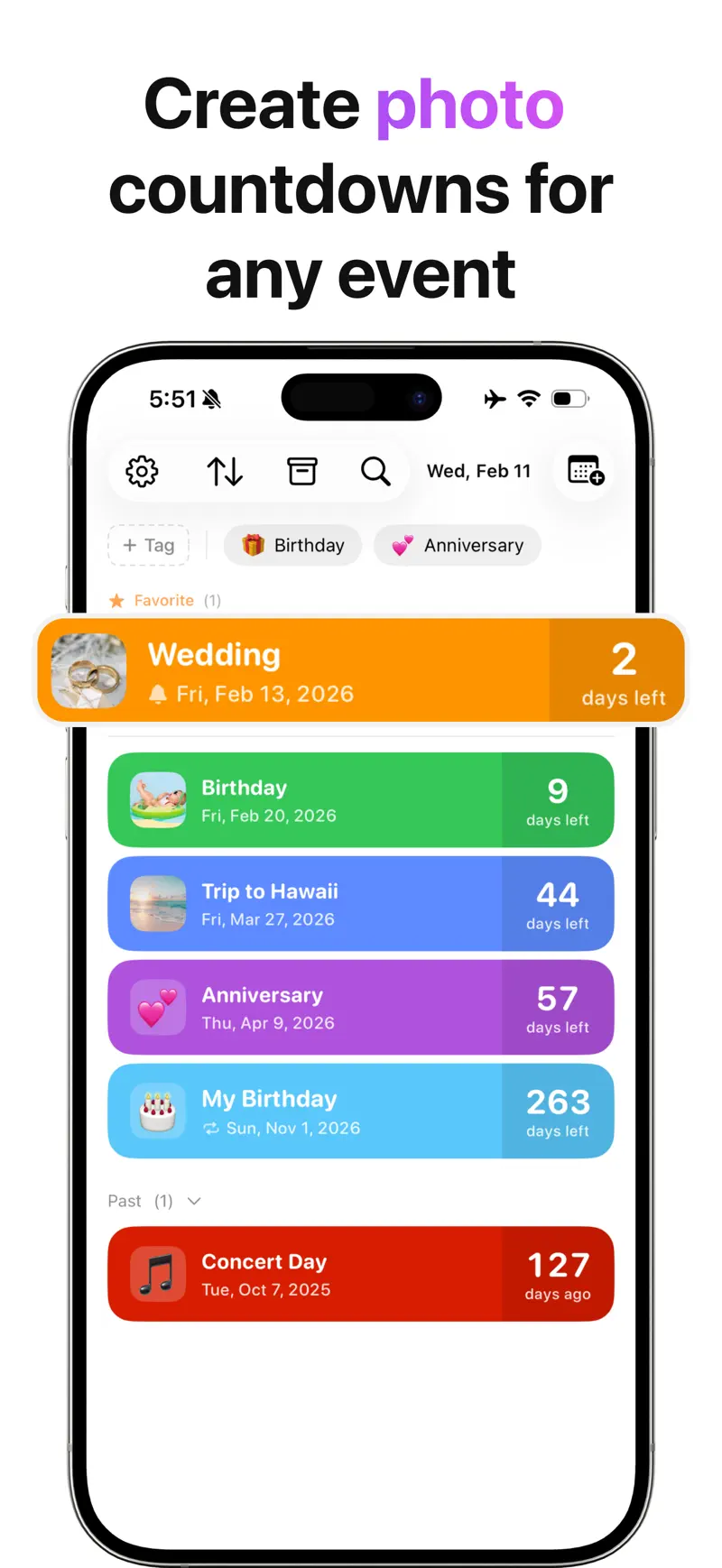
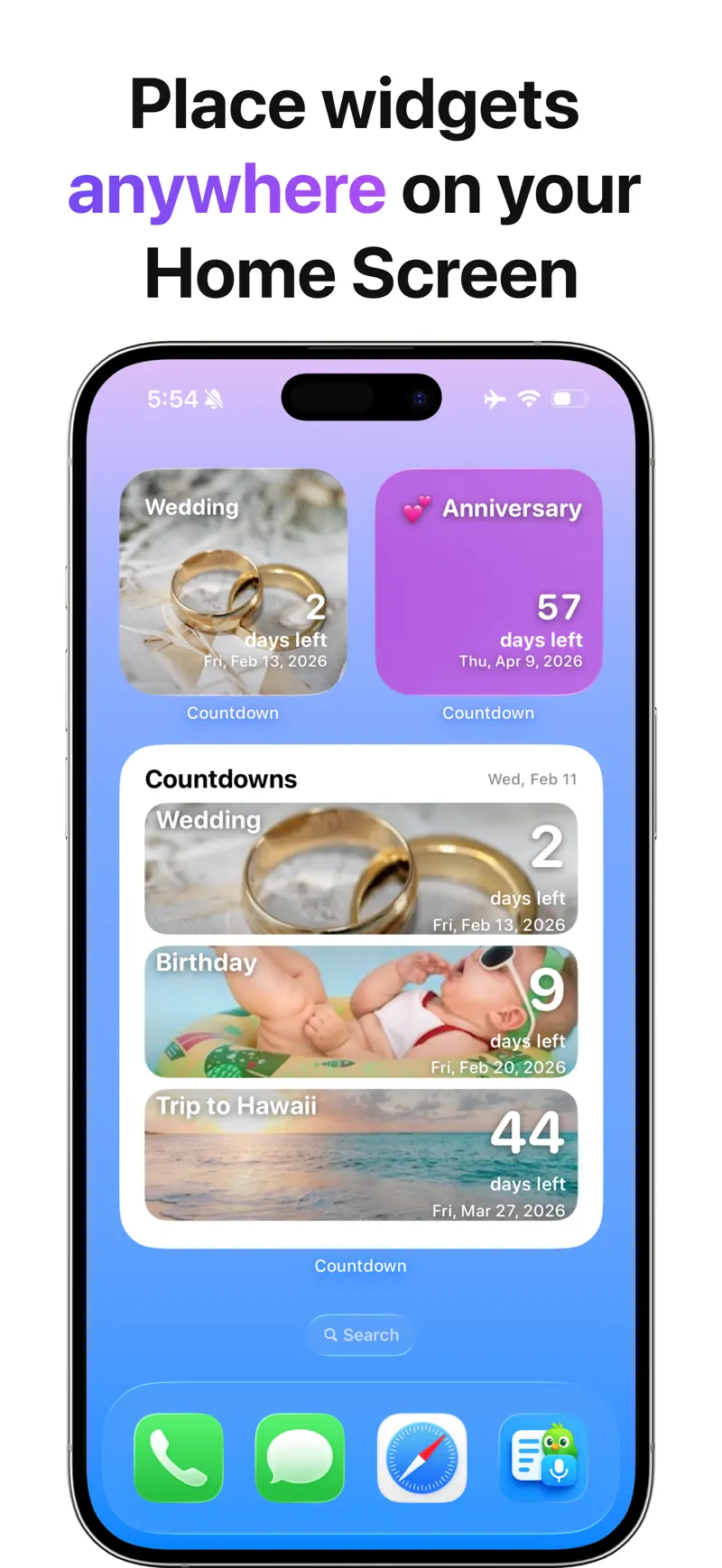
Countdown Pro - Widget & Timer is our own app, so here is the concrete part first: Pro puts both a single-event widget and a multiple-event widget on the Mac desktop. Pin one launch date in a large tile, keep this month's deadlines in a compact list beside it, and never open the app during the working day.
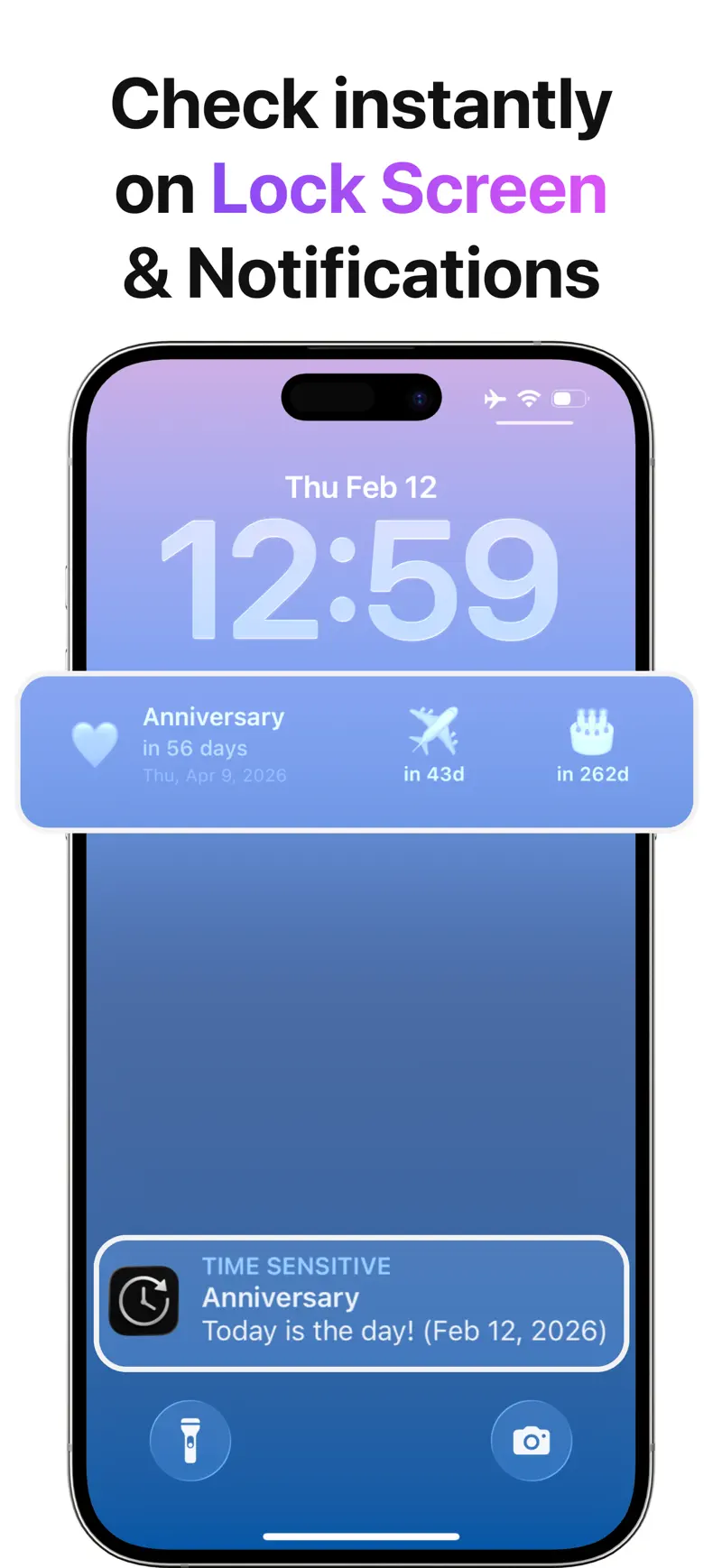
The free tier is where you build the list. It includes unlimited countdowns, tracking for both upcoming dates and days elapsed since a past one, emoji, photo, and color styling, repeating events, reminders, and shareable countdown cards. There is no separate login and no ads, and it works offline, so a weak connection never hides your dates.
iCloud sync automatically keeps countdowns current across an iPhone, iPad, and Mac signed in to the same Apple Account. No separate Rich Soft login is required, and a deadline added on Mac can be continued on iPhone.
Once a list passes a dozen entries, tags, search, filters, and group views are what keep it usable. Sorting alone stops working when work deadlines, birthdays, and subscription renewals share one list.
Version 2.9.2 added backup and restore for Pro, including an automatic daily backup. This is separate from iCloud device sync: you can export countdowns to a file and restore that additional copy whenever you need.
The tradeoffs, stated plainly: the desktop widgets, Lunar dates, and archiving are Pro features, the app requires iOS/iPadOS 18.6 or later, and it is new enough on the Mac App Store that it has four ratings. If a long public track record is what you are shopping for, the next entry has it.
Our Mac countdown widget setup guide walks through the first event and widget placement, and the complete feature breakdown covers the free and Pro split.
2. Countdowns - Event Countdown — the most popular free option
Countdowns by Shayes Apps has 1,363 Mac ratings at 4.7, more than any other dedicated countdown app in this comparison, and its free tier is unusually generous.
The listing states that a free download includes an unlimited number of timers, colorful widgets on iPhone, iPad, and Mac, repeating timers, dark mode, calendar event import, and multiple unit options such as days or weeks. It counts in both directions, treating "days since" as a first-class feature rather than an afterthought.
The catch is what the in-app purchase covers. iCloud sync across iPhones, iPads, and Macs is paid, alongside a compact display mode, lists for organizing timers, directional indicators, and custom notifications and sounds. That purchase is offered monthly, annually, or one time. If you live on one Mac, the free tier may genuinely be enough; if you want the same timers on your phone, price the upgrade before you commit.
It also ships an Apple Watch app, and the listing was last updated in April 2026.
3. Bears Countdown — the best-looking desktop
Bears Countdown holds the highest Mac rating here that is backed by real volume: 4.9 from 872 Mac ratings. It costs $3.99 up front with no free tier, which is either a dealbreaker or a relief depending on how you feel about in-app purchases.
What you get is hand-drawn bear artwork in a pastel palette, per-event notes for gift ideas or trip reminders, a history view of past events with the notes you wrote, and "intentions" for plans that do not have a date yet. It states support for iPhone, iPad, and Mac and includes all three widget sizes.
One caveat matters more than the price. The listing was last updated in February 2024, and its widget section still references iOS 14. The app may work perfectly on current macOS, but it has not shipped a change in over two years, and the listing does not describe a backup or sync method. Buy it for the design, not for a decade of date archiving.
Two more worth knowing
Color Widgets is by far the most reviewed app that offers a countdown widget on Mac — 4.4 from 24,291 Mac ratings. It is a widget customization app first, with a Countdown Widget among photo, weather, calendar, and clock widgets. Choose it if you want your whole desktop themed and a countdown is one part of that; choose a dedicated app if the countdown list itself is the point.
Countdown - Days Until sits at 4.7 from 177 Mac ratings and was updated in May 2026 — a reasonable middle option if the three above do not fit.
Also worth a warning: Countdown - Upcoming Events advertises a one-time purchase and no subscriptions, which sounds ideal, but its listing says Pro "unlocks the ability to add more than one countdown." The free version is effectively a single-countdown app, and its Mac rating is the lowest here at 4.2.
How to put a countdown widget on your Mac desktop
The steps are the same for every app in this list.
- Open the app on your Mac and create at least one event. An empty app shows an empty widget.
- Control-click an empty area of the desktop and choose Edit Widgets.
- Find the app in the sidebar, pick a widget size, and drag it onto the desktop.
- Click the widget to choose which event it displays, if the app supports selection.
If the app does not appear in the widget picker, open it once, leave it running for a moment, then reopen Edit Widgets. Our Mac setup guide covers the rest of the troubleshooting.
Frequently asked questions
Does macOS have a built-in countdown widget?
No. Calendar and Reminders widgets show what is scheduled, not how many days remain. A dedicated countdown app is what turns a date into a number you can read at a glance.
Can I use a countdown widget on an Intel Mac?
Not with these apps. All of them are iPhone and iPad apps that run on Macs with Apple Silicon, so Intel Macs cannot install them. Check your chip in Apple menu → About This Mac first.
Why does the same app show different ratings on Mac and iPhone?
Because the App Store rates each platform separately. Countdowns shows 4.7 from 1,363 Mac ratings and a much larger iPhone total, while Color Widgets has 24,291 Mac ratings.
Will my countdowns move to a new Mac?
That depends on the app, and most people ask too late. Countdown Pro - Widget & Timer offers iCloud sync across iPhone, iPad, and Mac plus a separate Pro backup file with an automatic daily backup. Countdowns puts iCloud sync behind its in-app purchase, while Bears Countdown's listing does not state a backup method.
Pick one date and try it this week
Comparing feature lists has diminishing returns. Choose the one date you check most often, add it to a single app, put the widget on your desktop, and see whether it still earns that space after three days.
If you want both a single-event and a multiple-event widget with a backup file behind them, download Countdown Pro - Widget & Timer from the US App Store and add your nearest deadline first. You can also review the current features and screenshots before installing.
Get Countdown Pro - Widget & Timer
Looking for the best countdown widget for Mac? We compared the top 3 apps using Mac ratings, desktop widgets, iCloud sync, backup, and cost.
5.0 · 4