Growth Charts: baby & child: Child Height Tracker
Record your child’s height and weight, then see growth charts, percentiles, BMI, and an adult-height estimate in one clear iPhone app.
 Growth Charts: baby & child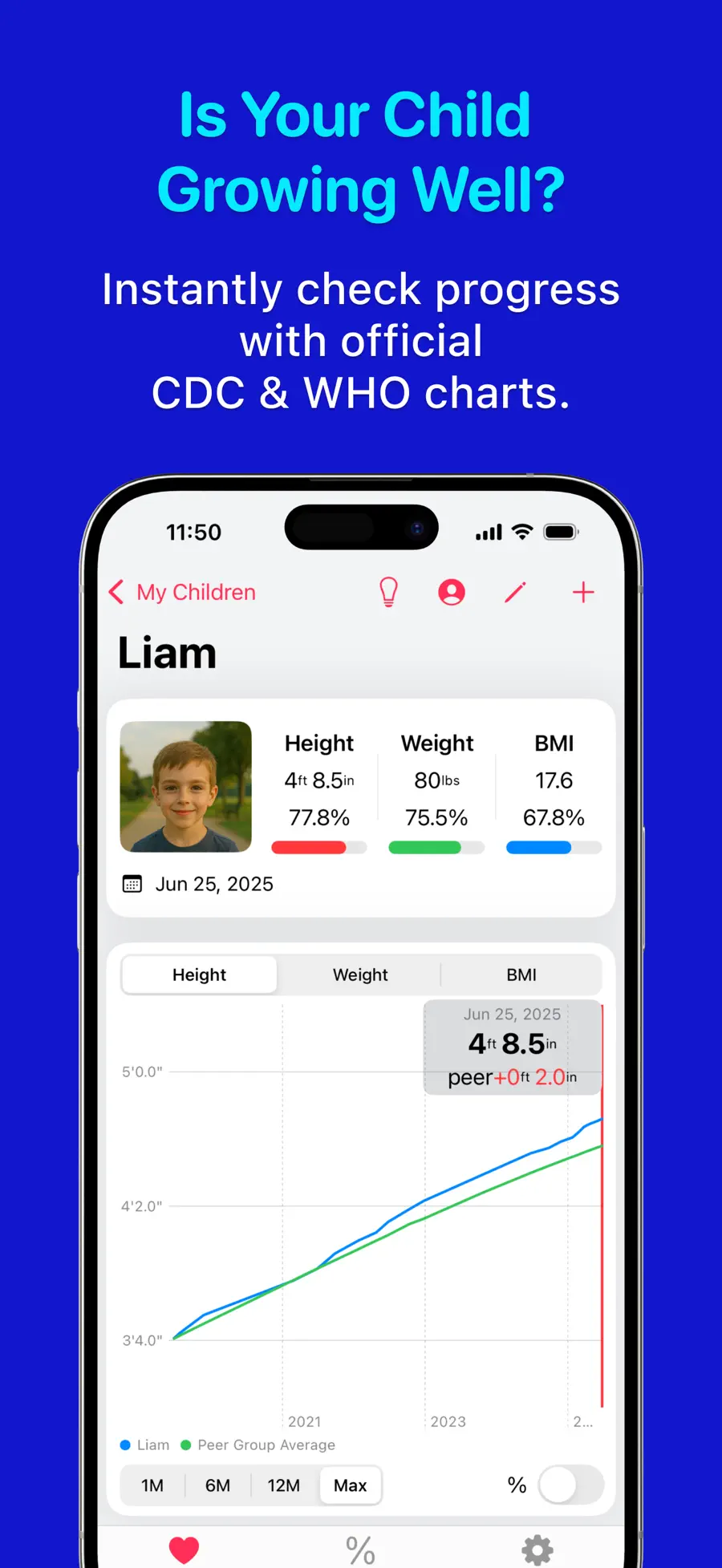
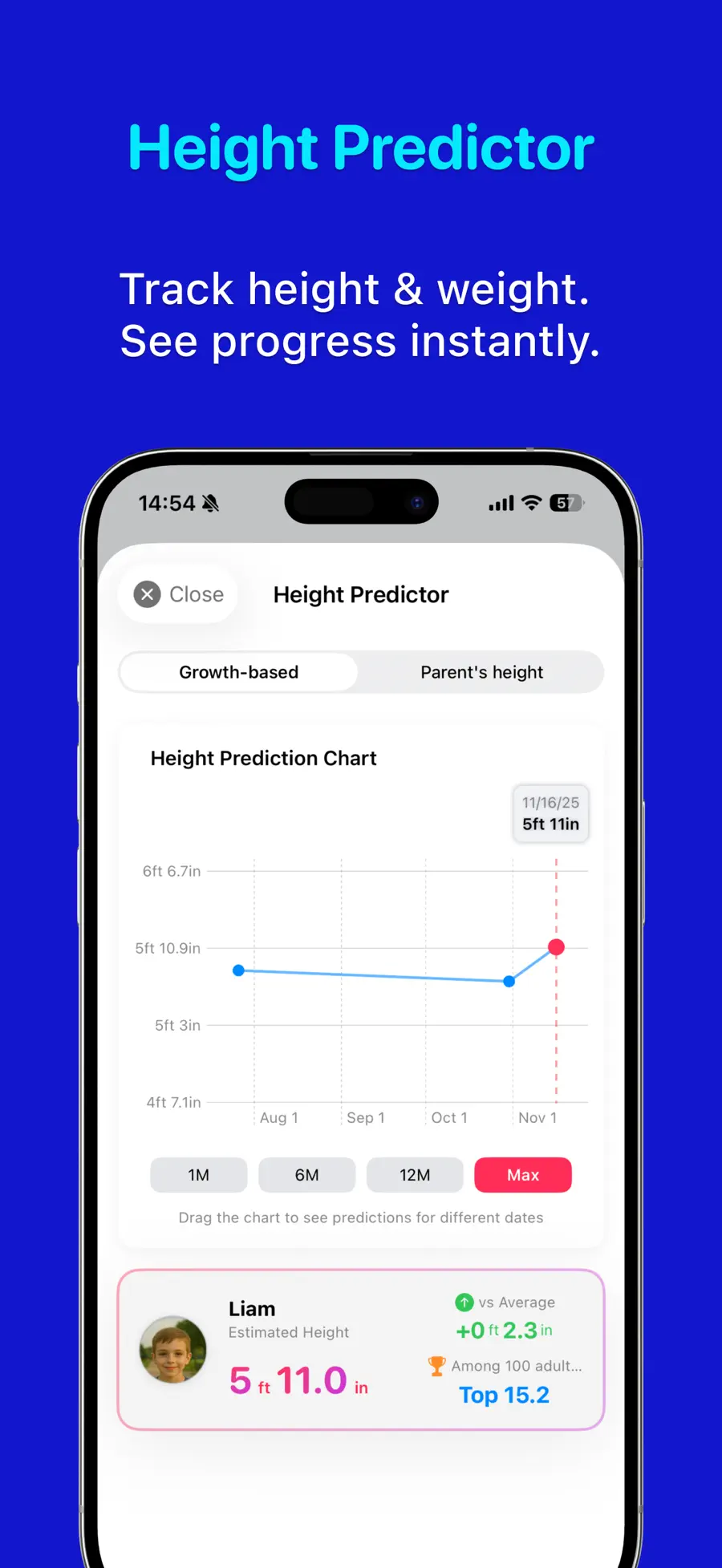
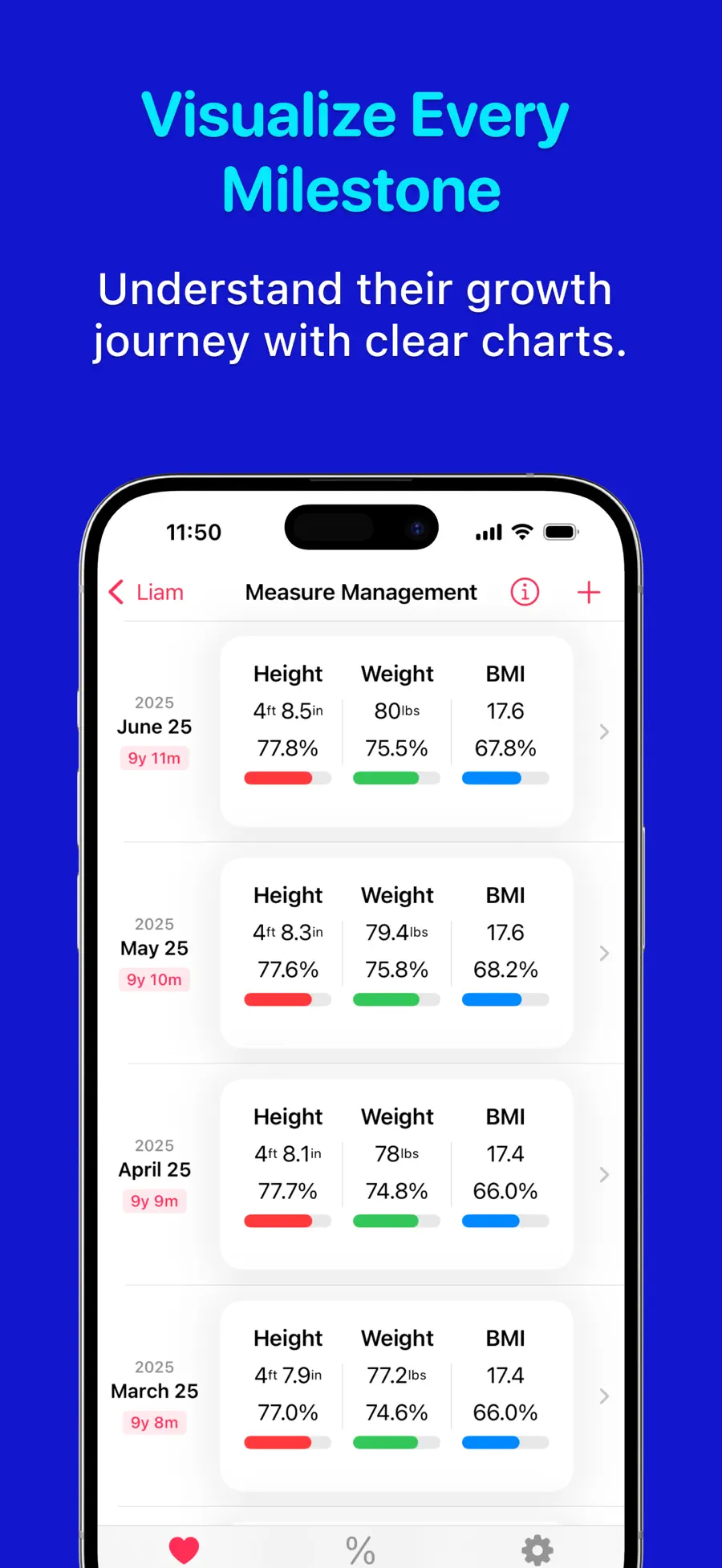

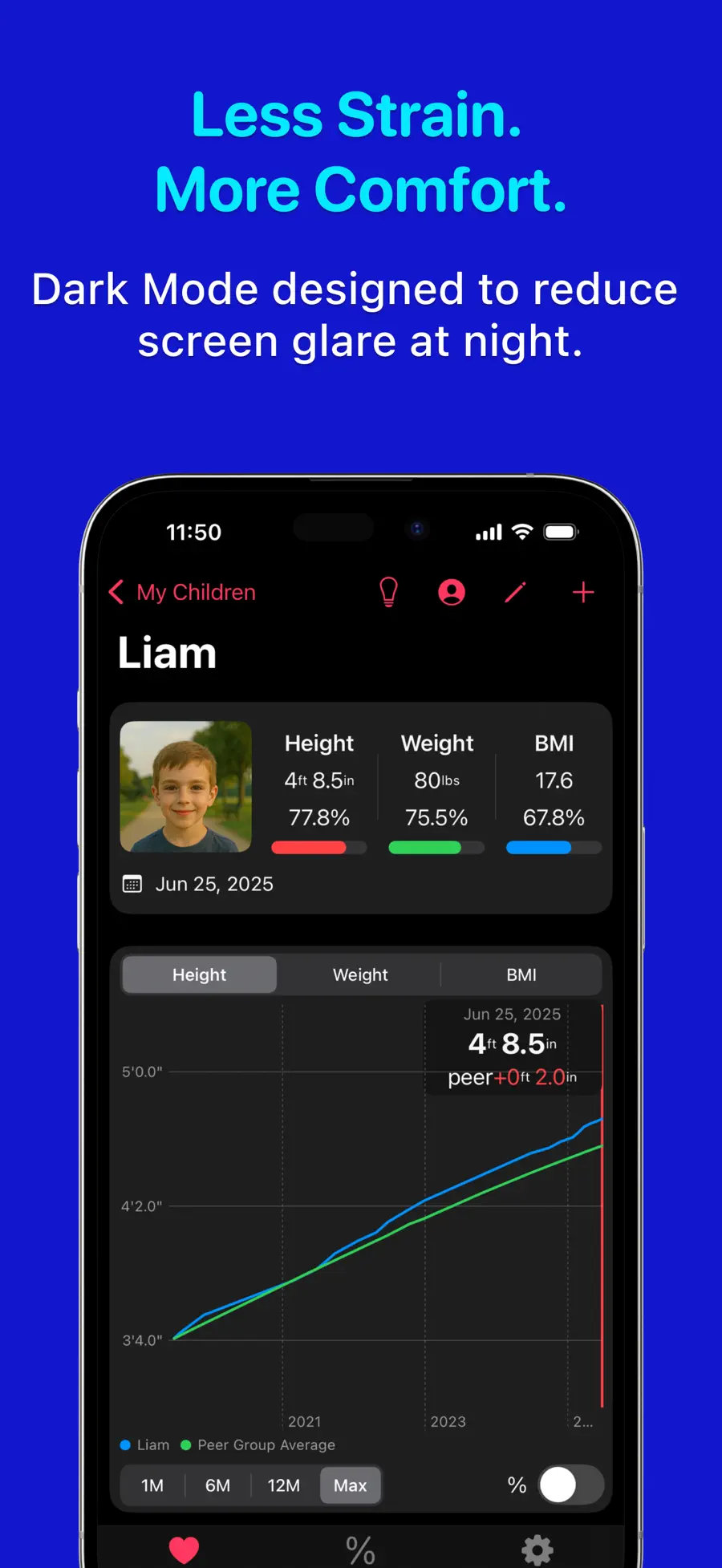
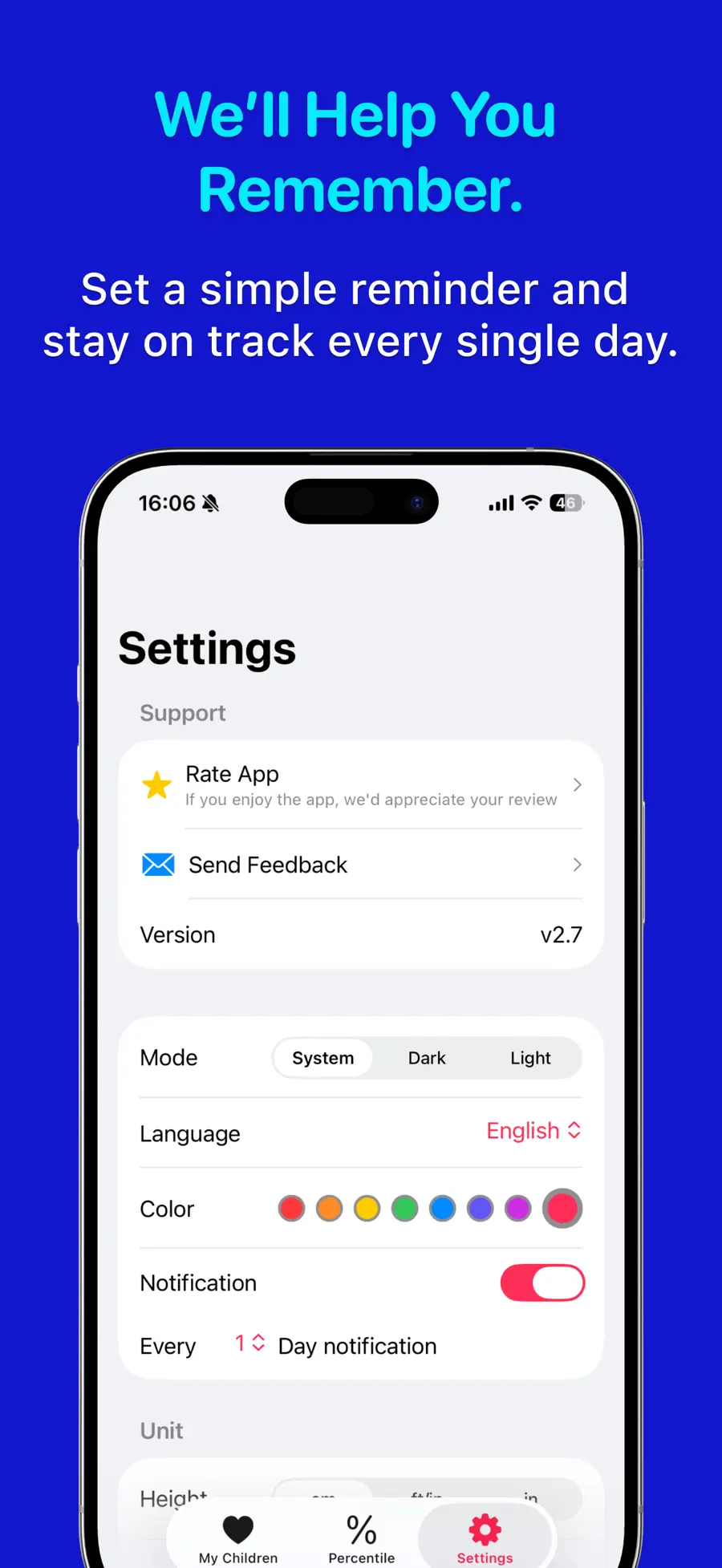
Table of contents+
Does every new height measurement leave you wondering whether your child is growing on track? One number rarely answers that question. What helps is seeing how height and weight change over time against a consistent reference.
Growth Charts: baby & child is an iPhone child growth tracker that turns height and weight records into WHO and CDC growth charts. It shows percentiles, calculates BMI, manages multiple children, reminds you when it is time to record again, and estimates future adult height—all in one focused app.
Download Growth Charts: baby & child on the App Store and add your child’s latest measurement today.
A child growth tracker makes the trend easier to see
A height of 43 inches or 110 centimeters means little without age, sex, and previous measurements for context. Placing each record on an appropriate reference chart helps turn isolated numbers into a visible growth pattern.
Enter height and weight in Growth Charts: baby & child, and the app plots them automatically. Percentiles show where a measurement sits within the reference population, while each new entry reveals how the curve develops over time. There is no paper chart to calculate or update by hand.
A percentile is not a grade or a diagnosis. Measurements can vary with technique and timing, so focus on the pattern rather than a single point. If a change continues to concern you, use the record as helpful context and speak with your child’s pediatrician.
Start a height and weight record in three steps
Children do not need another daily tracking chore. A useful growth record simply needs to be easy to update whenever a new measurement is available.
- Create a child profile. Add the birth date and sex so the app can use the appropriate age-based reference.
- Enter the date, height, and weight. Save measurements from a checkup or from home while the numbers are still at hand.
- Review the chart and percentiles. See how the new point connects with earlier records.
Set a reminder for the schedule that works for your family. If you have more than one child, separate profiles keep every record organized in the same app instead of across several notebooks or notes.
Adult-height prediction and BMI add useful context
Growth Charts: baby & child uses the growth records you enter to provide an estimated future adult height. When both height and weight are available, it also calculates BMI so you can follow that measure over time.
An estimate cannot promise a final height. Genetics, sleep, nutrition, physical activity, the timing of puberty, and measurement error can all affect actual growth. Treat the result as one way to understand the data you have—not as a target your child must reach.
Keep a private record worth saving
Growth data is personal, and families may want to revisit it years later. Before downloading, these details can make the decision easier:
- Multiple profiles: Keep siblings’ measurements separate while managing them in one app.
- Backup and restore: Back up important growth records and restore them when needed.
- Privacy: The App Store privacy label says the developer does not collect data from this app.
With Family Sharing enabled, up to six family members can use the app. Check the US App Store page for Growth Charts: baby & child for current pricing, compatibility, and complete privacy details before purchasing.
Who is this growth chart app for?
The app is a strong fit for parents who want to:
- Keep pediatric checkup measurements in one place
- Follow a baby’s or child’s height and weight on growth charts
- Understand percentiles without plotting a paper chart
- Manage siblings with separate profiles
- View BMI and an adult-height estimate as reference information
If you need a diagnosis, treatment decision, or individualized nutrition advice, do not rely on an app alone. Consult a qualified healthcare professional. Growth Charts: baby & child is designed to make everyday measurements easier to preserve and understand on trusted growth references.
Frequently asked questions
Do I need to measure height and weight every day?
No. Record measurements at an interval appropriate for your child and try to use consistent measuring conditions. The reminder helps you remember the next entry; it does not turn growth tracking into a daily task.
Can a growth chart diagnose a health problem?
No. Growth charts and percentiles help describe a pattern, but they do not replace clinical assessment. Share the record with a pediatrician if you have concerns.
Can I move records to a new iPhone?
The app supports data backup and restore. Complete a backup before changing devices, then restore that backup on the new device.
Today’s measurement can become a meaningful family record
Children keep growing whether the numbers are recorded or not. Add the latest checkup result—or measure today—and create the first point on the chart. When the next measurement arrives, the line will tell a clearer story than a list of disconnected numbers.
Download Growth Charts: baby & child on the App Store and start your child’s growth record today.
Get Growth Charts: baby & child
Record your child’s height and weight, then see growth charts, percentiles, BMI, and an adult-height estimate in one clear iPhone app.
4.7 · 172


 Weight Loss Tracker Pro